← Portfolio / Case Study
UI / UX Design Mobile App FlutterFlow Firebase 2025

MomFlow —
Wellness App for New Moms

An all-in-one mobile app helping new moms manage daily routines, track baby milestones, and access 24/7 AI-powered emotional support.

My Role
UI/UX Designer & App Developer
Timeline
12 Weeks · 2025
Platform
iOS · Android
Status
✦ Live
Scroll to explore
MomFlow App

What is MomFlow?

MomFlow is a wellness-focused mobile application designed to support mothers throughout pregnancy, postpartum recovery, and early motherhood. The platform combines planning tools, emotional wellbeing tracking, educational resources, and AI-powered assistance to help mothers navigate one of the most important stages of their lives.

Many existing parenting applications focus on either baby tracking or general health management. MomFlow was created to provide a more holistic experience that prioritises the wellbeing of mothers themselves while delivering practical tools that fit into their daily routines.

As the sole contributor, I was responsible for the complete product lifecycle — UX research, UI design, FlutterFlow development, backend integration, testing, and deployment.

Quick Facts
Client
Freelance Project
Industry
Health & Wellness · Parenting
Deliverables
UX Research · UI Design · App Dev · Testing

Problem & Solution.

⚠️
The Problem
New mothers juggle physical recovery, emotional wellbeing, childcare, and self-care simultaneously. Existing apps focus heavily on infant care while overlooking the mother's mental health, organisation needs, and support systems.
The Solution
MomFlow is an all-in-one wellness companion combining emotional wellbeing tracking, AI-powered support, planning tools, and educational resources in a calm, easy-to-use mobile experience tailored specifically for mothers.

Understanding the users.

Research focused on the daily challenges experienced by pregnant women and new mothers — emotional stress, information overload, lack of organisation tools, and limited personalised support. User interviews, competitor analysis, and wellness app benchmarking were used to validate assumptions.

👥 12 User Interviews Conducted
Age range 25–40, across Canada and UK
📋 48 Survey Responses
Distributed via social media
🔍 5 Competitor Apps Analysed
Feature mapping and UX benchmarking
Key Insights
01Fragmented tools cause overwhelm — Many mothers used 4–5 separate apps for tracking, planning, and support.
02Personalisation over generic content — Users wanted guidance tailored to their stage and situation, not one-size-fits-all advice.
03Trust and simplicity matter most — Emotional comfort and ease of use outweighed feature quantity in user priorities.

Designing for real people.

Based on research findings, I created personas to keep design decisions grounded in real user needs throughout the project.

👩
Carol, 29
First-Time Mother · Maternity Leave
"I want reliable support and guidance without spending hours searching online."
Manage daily routines Track wellbeing Overwhelmed by advice
👩‍💼
Emily, 35
Working Mother of Two
"I need quick access to tools that fit into my busy schedule."
Stay organised Balance family & self Limited time

How I brought MomFlow to life.

01
Define & Ideate
Researched challenges faced by new mothers through competitor analysis and user feedback. Identified the opportunity to create a single platform combining wellness support, planning tools, and AI assistance. Translated user needs into feature requirements and product goals.
02
Information Architecture & User Flows
Mapped the complete user journey including onboarding, wellness tracking, planner management, and AI interactions. Navigation structures were designed to minimise friction and give users fast access to daily tools.
03
Wireframing
Low-fidelity wireframes covered screen layouts, information hierarchy, and navigation patterns across 20+ screens. Multiple iterations refined the onboarding flow and dashboard structure before any visual design began.
04
Visual Design & Prototyping
High-fidelity designs in Figma using a calming visual identity — soft pinks, accessible typography, and rounded components. Built a full design system with reusable components before creating interactive prototypes to validate flows.
05
Application Development
Built in FlutterFlow — responsive screens, navigation, Firebase integration, authentication, AI features via OpenAI API, subscription management via RevenueCat, and email via SendGrid. Special focus on performance and cross-platform compatibility.
06
Testing & Iteration
Continuous functional and usability testing throughout development. Feedback sessions resulted in improvements to onboarding, dashboard layout, and feature discoverability. Multiple iterations produced a more polished final product.

From sketch to structure.

Wireframes covered key user journeys: onboarding, wellness tracking, AI support, daily planning, and resource discovery. Testing layouts early helped simplify navigation and ensure key features were reachable with minimal taps.
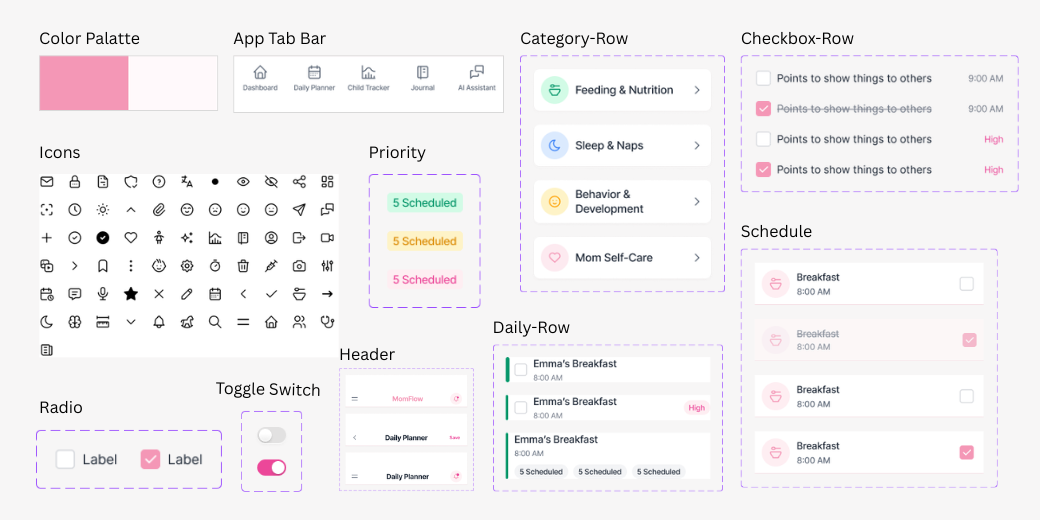
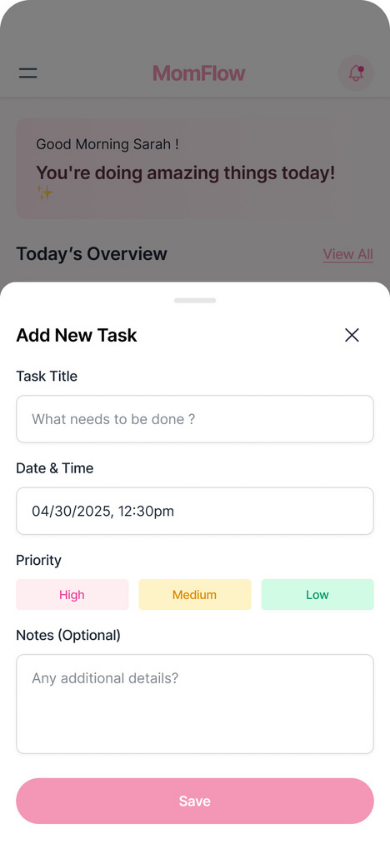
MomFlow Wireframes
Component library for consistent design
Add Task wireframe
AI Journal wireframe
Baby Growth wireframe
Child Growth Tracker wireframe
Daily Planner wireframe
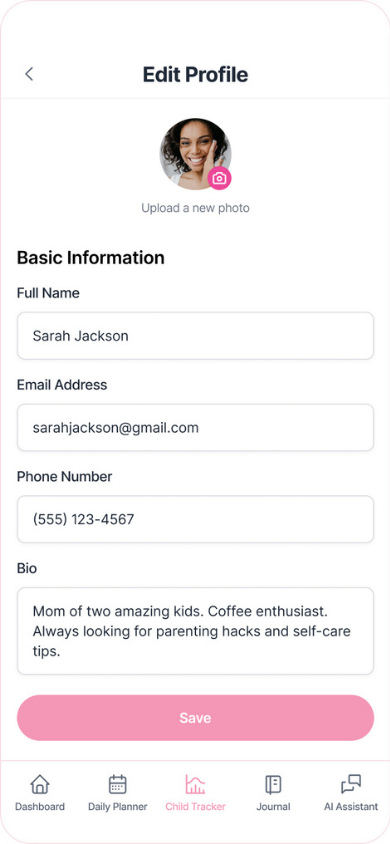
Edit Profile wireframe
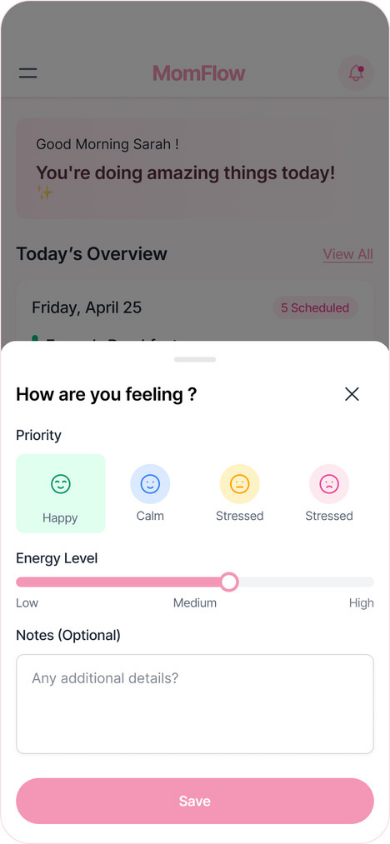
How are you feeling wireframe
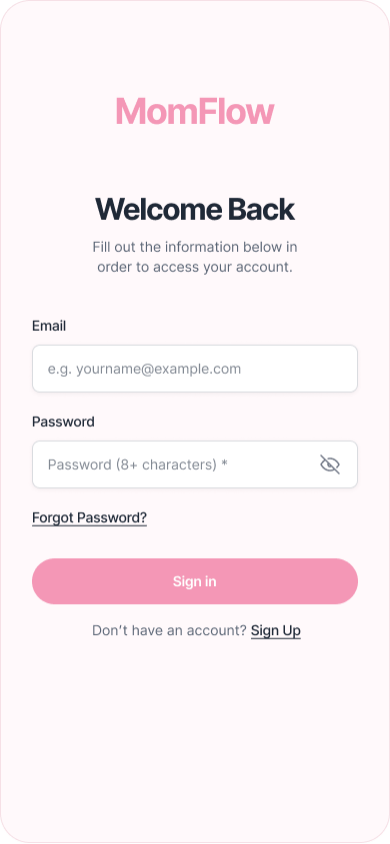
Login wireframe
Payment wireframe
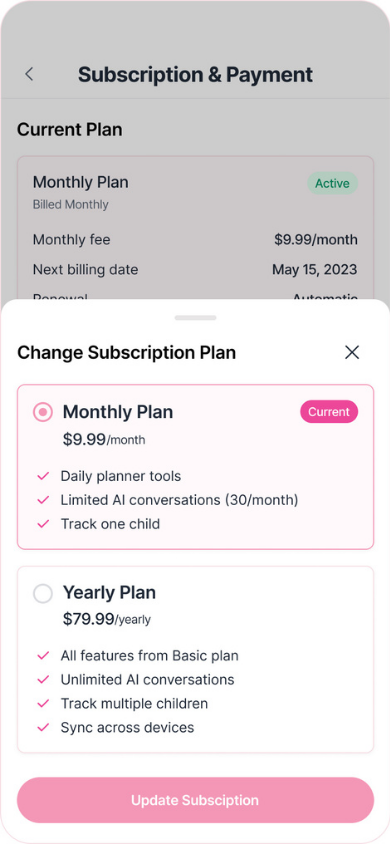
Subscription payment wireframe
Scroll to see all wireframe screens

The finished product.

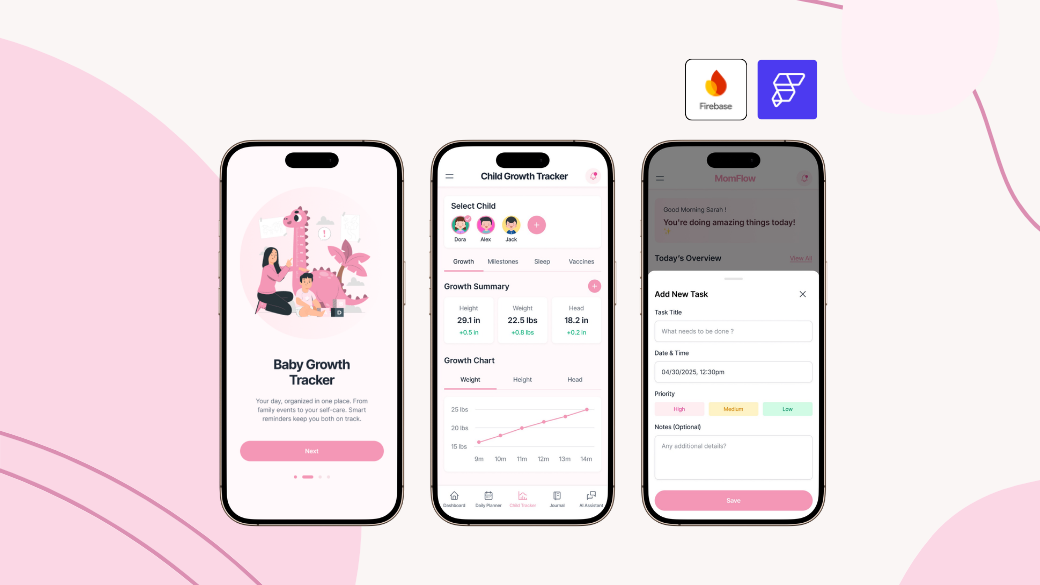
MomFlow is now available on Google Play, providing mothers with a supportive digital companion for pregnancy, postpartum recovery, and early motherhood. The app combines wellness tracking, planning tools, educational resources, and AI-powered assistance in one easy-to-use platform.

View on Google Play ↗

What makes it work.

🤖
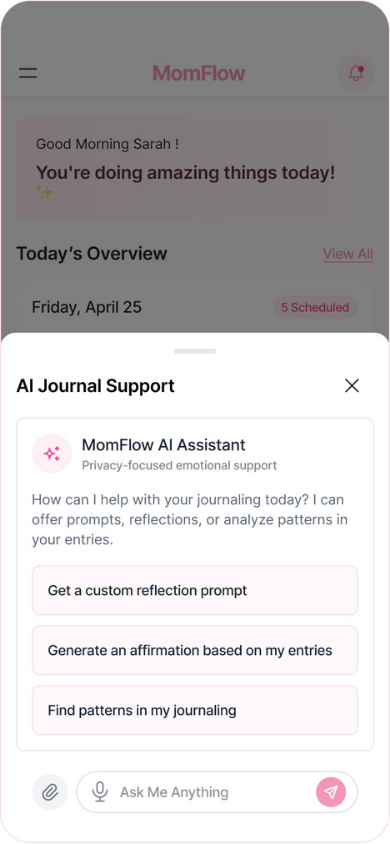
AI Wellness Assistant
Personalised guidance and support via OpenAI API — available 24/7 within the app.
😊
Mood & Wellness Tracking
Track emotional wellbeing over time and identify patterns with visual charts.
📅
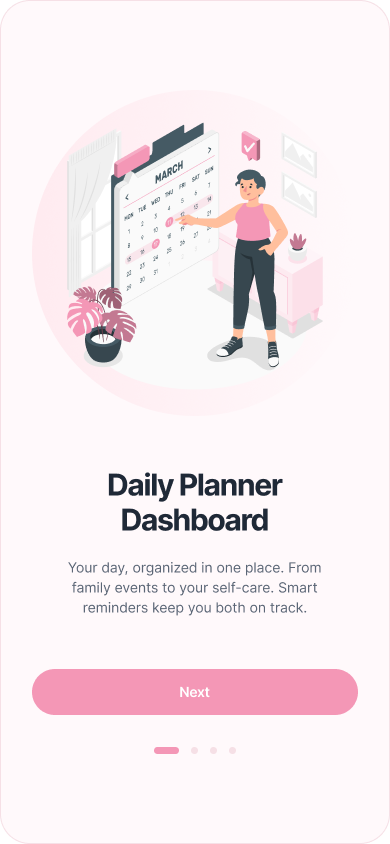
Daily Planner
Organise appointments, routines, and self-care activities — all synced via Firebase.
📊
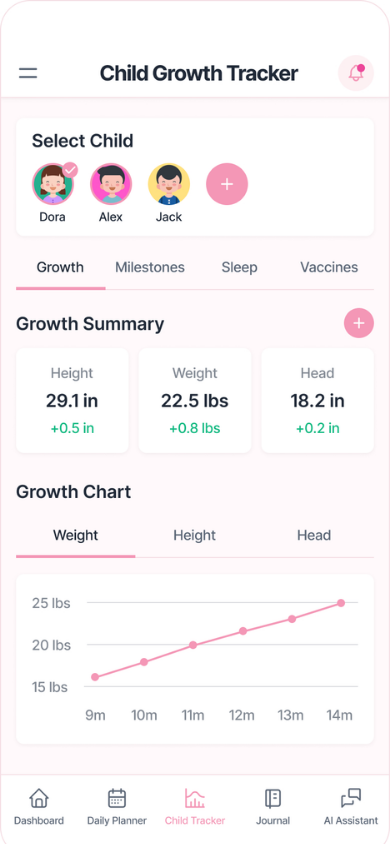
Baby Growth Charts
Visual milestone and growth tracking with progress charts for weight, height, and development.
🖼️
Photo Milestone Uploads
Securely upload and store baby photos via Firebase Storage for milestone memories.
💳
Subscription System
In-app purchases and subscription tiers managed via RevenueCat.

Built with the right tools.

Each tool was chosen to balance development speed, scalability, and user experience quality — delivering a production-ready app without a large engineering team.

🎨
Figma
🔥
FlutterFlow
☁️
Firebase
🤖
OpenAI API
💳
RevenueCat
📧
SendGrid

Problems I solved along the way.

⚠ Challenge
Creating a feature-rich app without overwhelming users — too many features visible at once caused confusion in early testing.
✓ How I solved it
Implemented progressive disclosure and simplified navigation so users discover features naturally rather than seeing everything at once.
⚠ Challenge
Balancing emotional support features with practical productivity tools in a single unified experience.
✓ How I solved it
Designed a dashboard that integrates wellness insights and organisational tools together — mood check-ins lead naturally into daily planning.
⚠ Challenge
FlutterFlow limitations for advanced AI and subscription logic that the visual editor couldn't handle natively.
✓ How I solved it
Wrote custom Dart code for AI API calls and RevenueCat integration, extending FlutterFlow where needed rather than being limited by it.

What we achieved.

Live Published on Google Play Store iOS App Store coming soon
4.8★ Average rating in early reviews Based on first 20 reviews
40+ Screens designed and developed Full design system included

What I learned.

01
Emotional design is a product feature — The colour, tone, and copy of MomFlow directly affect how users feel. Designing for emotion requires the same rigour as designing for usability.
02
Ship early, get real feedback — User research is essential for emotionally sensitive products. Assumptions differ significantly from real user needs — getting a beta in front of real moms early revealed issues no internal testing would have caught.
03
Know when to leave the visual editor — FlutterFlow is powerful but has real limits. Learning when to write custom Dart rather than fighting the tool's constraints was one of the most valuable technical lessons of this project.
Next Project →
TogetherBites — Food Sharing Platform
View Case Study →
← Back to Portfolio
Share: in